Smartscape Connected Lighting Systems
  • Log In
  • Register
  • 0 items$0.00
Call us: (07) 3357 1922
MENU
  • Home
  • Brands
  • Products
    • Lighting Controls
    • Emergency Exit Lighting
    • LED Lighting Solutions
    • Architectural & Feature Lighting
    • Residential Smart Lighting
  • Solutions
    • Lighting Control Systems
    • Multi Dwelling Apartment Solutions
    • Dynalite Brisbane
    • DALI & DALI-2 Lighting Control Systems
    • Zencontrol DALI-2 Lighting Control Systems
  • Technical
  • Projects
  • Media
  • News
  • About
  • Contact
Home / Lighting Controls / Wireless Control Solutions / Lumen Radio W-DALI / W-DALI Wireless Modules
W-DALI Wireless Modules
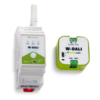
  • W-DALI Wireless Modules
  • W-DALI Transmitter web image
  • W-DALI Receiver web image

W-DALI Wireless Modules

Login to view price

W-DALI is the perfect way to have wireless control of DALI fixtures using a proven and robust wireless technology.

Clear
SKU: N/A Category: Lumen Radio W-DALI
  • Description
  • Features
  • Specifications
  • Downloads
  • Videos
  • FAQ's

The W-DALI wireless modules are the ideal wireless alternative to running DALI cables for retrofit or modernization of projects.


Simply install these devices with your favourite compatible control system (Dynalite, Zencontrol etc.) and these devices simply pass on the standard DALI messages across a wireless mesh network.


Working on a sports field upgrade and cant get DALI cables to the new fittings? No problem! Install the din rail transmitter with your chosen DALI controller and mount a node at the pole and you will have full control!


Range is 500mtrs line of sight and can be further increased by adding additional nodes that form a mesh and retransmit any messages they receive.


Control devices such as sensors and switches can also be connected to the nodes to form a wireless connection back to the controller.


PRODUCT RANGE:
W-DALI Node: receiver for groups of lighting fixtures. Fitted inside fixture or in junction box.
W-DALI DIN Rail: transmitter. Designed to be mounted in electrical cabinet beside existing DALI controller.


For more information on the W-DALI Wireless Modules please contact us.

  • Out-of-the-box installation – just power up and connect to your W-DALI device and you are up and running.
  • Instant wireless setup – with just one push of a button, the W-DALI network is set up within minutes.
  • Mesh network – W-DALI is built on LumenRadio’s ultra-reliable long-range MiraMesh. Cover an entire building, utilizing the mesh network as your infrastructure.
  • Range – up to 500 meters (line of sight) between two meshing W-DALI units.
  • Reliability – LumenRadio’s patented frequency-friendly Cognitive Coexistence technology provides rock-solid connectivity and immunity to interference.
  • Self-optimizing network – the mesh network will always find the best way to send messages through the network between devices.

Din Rail Unit:

Power

  • Voltage range: 12-24VDC / 24VAC +/-10%
  • Max power consumption: <1W
  • Frequency: 50Hz
  • Current consumption: <100mA
  • Conductor cross section (stranded): 0.2-2.5mm2
  • Conductor cross section (solid): 0.2-2.5mm2

DALI

  • DALI PSU guaranteed current: –
  • DALI PSU max current: –
  • Max number of DALI units on bus: –
  • Max DALI bus current consumption:  120mA
  • DALI start up time:  <5s
  • Conductor cross section (stranded): 0.5-2.5mm2
  • Conductor cross section (solid): 0.5-2.5mm2

Environment

  • Ambient temperature range: -20 – +55 °C
  • Storage temperature range: -30 – +80 °C
  • Humidity (non-condensing): 10-95%

Mechanical

  • Dimensions: 36x93x59mm (excluding antenna)
  • Weight: 75g
  • Protection level: IP20


Node:

Power

  • Voltage range: 216-253VAC
  • Max power consumption: <1W (with full DALI PSU load)
  • Frequency: 50Hz
  • Current consumption: <5mA
  • Conductor cross section (stranded): 0.5-2.5mm2
  • Conductor cross section (solid): 0.5-4mm2

DALI

  • DALI PSU guaranteed current: 30mA
  • DALI PSU max current: 40mA
  • Max number of DALI units on bus: 10
  • Max DALI bus current consumption: –
  • DALI start up time: –
  • Conductor cross section (stranded): 0.5-2.5mm2
  • Conductor cross section (solid): 0.5-4mm2

Environment

  • Ambient temperature range: -20 – +55 °C
  • Storage temperature range: -30 – +80 °C
  • Humidity (non-condensing): 10-95%

Mechanical

  • Dimensions: 46x46x21mm
  • Weight: 21g
  • Protection level: IP20

[icon type=”glyphicon glyphicon-save” color=”#1e73be” fontsize=”14″] W-DALI Product Flyer

[icon type=”glyphicon glyphicon-save” color=”#1e73be” fontsize=”14″] W-DALI Technical Data Sheet

What wireless technology is used by W-DALI?
W-DALI is using LumenRadio’s patented ultra-reliable long-range wireless mesh technology called MiraMesh (2.4GHz) to communicate between W-DALI devices. Check out our documentation for more information about MiraMesh. W-DALI is also using Bluetooth Low Energy (BLE) to be able to communicate with our app on mobile devices.

Is W-DALI secure?
Yes, W-DALI uses AES-128 encryption when communicating wirelessly.

What is the wireless range of W-DALI?
Up to 500 meters (line of sight) between two meshing W-DALI devices. The distance will be shorter when used indoors depending e.g. on the type of material used in a building for walls and ceilings, and also depending on where and how the W-DALI devices are mounted. The W-DALI mesh network supports up to 8 mesh hops.

How many W-DALI Nodes can be connected to one W-DALI DIN rail?
Up to 128 W-DALI Nodes can be connected to one W-DALI DIN rail.

How many DALI devices can be connected to one W-DALI Node?
Up to 10 DALI devices (control gear and control devices) can be connected to one W-DALI Node.

How many DALI devices can be connected in one W-DALI mesh network?
Up to 128 DALI devices (64 control gear and 64 control devices) can be connected in one W-DALI mesh network.

Can other DALI devices be connected on the same DALI bus as the W-DALI DIN rail?
Yes.

Where should I connect my DALI application controller for DALI commissioning?
The DALI application controller used for DALI commissioning should only be connected to the W-DALI DIN rail.

Can a W-DALI Node be used as an extender/repeater to increase the wireless range?
Yes, since W-DALI is meshing W-DALI Nodes can be used to increase the wireless range.

How do I create a W-DALI mesh network?
One W-DALI DIN rail and at least one W-DALI Node is required. The W-DALI mesh network can then in a few steps be created by adding W-DALI Nodes to the W-DALI DIN rail with or without our app. It is also possible to remove W-DALI Nodes if needed. Check out our documentation for more information on how to do these things.

What subnet should I use during and after installation?
The subnets (subnet 1 and subnet 2) on the W-DALI devices are only used to create a W-DALI mesh network without the help of our app. A W-DALI Node (not already in a mesh network) will join a DIN rail with the same subnet during the linking process. Check out our documentation for more information on how this is done. The subnet on the W-DALI Node can be in any position when our app is used. The subnet does not matter during normal operation.

How long does it take for the W-DALI mesh network to form?
It can take a couple of minutes or longer depending on the distance and environment for the W-DALI mesh network to form and be fully operational.

How many W-DALI Nodes and DALI devices are part of my W-DALI mesh network?
Our app can be used to see how many W-DALI Nodes and DALI devices that are part of the W-DALI mesh network. Connect to the W-DALI DIN rail to see this information. Check out our documentation for more information on how to do this.

Is any extra hardware or software required to be able to see and use the DALI devices in the W-DALI mesh network?
No, simply use the DALI application controller(s) you already have or want to use.

What mobile devices with the latest version of our app are supported by W-DALI?
For firmware version 1.0.2 (released 2024-06-05) and newer, iOS and Android mobile devices with Bluetooth Low Energy (BLE) are supported.
For firmware versions 1.0.1 and 1.0.0, Android mobile devices with Bluetooth Low Energy 5 (BLE 5) including advertising extensions are supported.

How do I upgrade the firmware of my W-DALI devices?
The W-DALI firmware can be upgraded using our app by connecting to the W-DALI DIN rail. Check out our documentation for more information on how to do this. Once connected the firmware on the W-DALI DIN rail can be updated from the app. The W-DALI DIN rail will then distribute the firmware in the W-DALI mesh network to all connected W-DALI Nodes within two hours. The W-DALI DIN rail will always update the firmware on the connected W-DALI Nodes to the same version regardless of the app.

Is 24V required to install the W-DALI DIN rail?
No, W-DALI DIN rail is DALI bus powered. If 12-24VDC or 24VAC is connected the DALI bus current consumption will decrease significantly.

Is DALI version-1 and DALI-2 supported by W-DALI?
Yes. Proprietary DALI frames and non-standard DALI is however not supported. Check out our documentation for a full list of supported DALI devices.

Is W-DALI compatible with any other wireless product?
No. W-DALI uses its own unique protocol on top of MiraMesh and can’t be wirelessly connected to non W-DALI products. This ensures the performance and reliability of W-DALI.

Product categories

  • Lighting Controls
    • DALI-2 Controls & Components
    • Wireless Control Solutions
      • DALI+ Wireless Solutions
      • Lumen Radio W-DALI
      • Casambi Wireless Solutions
      • Philips Hue
    • Dynalite Networked Control System
    • Ex-Or MLS Sensor Control System
    • Standalone Motion / Presence Sensors
    • Standalone Dimmers
    • Standalone Timeclocks & PE Cells
    • DMX Control Solutions
  • Emergency Exit Lighting
  • LED Lighting Solutions
  • Architectural & Feature Lighting
  • Residential Smart Lighting
  • Terms & Conditions
  • Privacy Policy
Smartscape Connected Lighting Systems

© Copyright 2017, Smartscape Connected Lighting Systems. All Rights Reserved.

Qld Electrical Contractor License Number 151193